Ever clicked a button and watched your entire page freeze? Tried to scroll while a script was running and nothing happened?
// This will freeze your entire page for ~5 seconds
function heavyCalculation() {
  const start = Date.now()
  while (Date.now() - start < 5000) {
    // Simulating heavy work
  }
  return 'Done!'
}

document.getElementById('btn').addEventListener('click', () => {
  console.log('Starting...')
  const result = heavyCalculation()  // Page freezes here
  console.log(result)
})

// During those 5 seconds:
// - Can't click anything
// - Can't scroll
// - Animations stop
// - The page looks broken
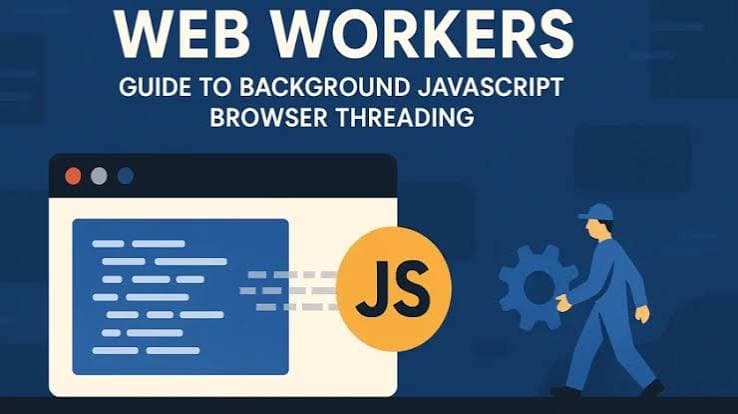
That's JavaScript's single thread at work. But there's a way out: Web Workers. Defined in the WHATWG HTML Living Standard, they let you run JavaScript in background threads, keeping your UI smooth while crunching numbers, parsing data, or processing images. According to Can I Use data, Web Workers have over 98% browser support across all modern browsers.
What you'll learn in this guide:
- Why JavaScript's single thread causes UI freezes (and why async doesn't help)
- How Web Workers provide true parallelism (not just concurrency)
- Creating workers and communicating with
postMessage - The difference between Dedicated, Shared, and Service Workers
- Transferable objects for moving large data without copying
- OffscreenCanvas for graphics processing in workers
- Real-world patterns: worker pools, inline workers, heavy computations
Prerequisites: This guide builds on the Event Loop and async/await. Understanding those concepts will help you see why Web Workers solve problems that async code can't.
The Problem: Why Async Isn't Enough
You might think: "I already know async JavaScript. Doesn't that solve the freezing problem?"
Not quite. Here's the thing everyone gets wrong about async: async JavaScript is still single-threaded. It's concurrent, not parallel. As explained in the ECMAScript specification, the language runtime uses a single execution thread — async operations yield control but never run JavaScript code simultaneously on the main thread.
// Async code is NOT running at the same time
async function fetchData() {
  console.log('1: Starting fetch')
  const response = await fetch('/api/data')  // Waits, but doesn't block
  console.log('3: Got response')
  return response.json()
}

console.log('0: Before fetch')
fetchData()
console.log('2: After fetch call')

// Output:
// 0: Before fetch
// 1: Starting fetch
// 2: After fetch call
// 3: Got response (later)
The await lets other code run while waiting for the network. But here's the catch: the actual JavaScript execution is still one thing at a time.
The CPU-Bound Problem
Async works great for I/O operations (network requests, file reads) because you're waiting for something external. But what about CPU-bound tasks?
// This async function STILL freezes the page
async function processLargeArray(data) {
  const results = []

  // This loop is synchronous JavaScript
  // The "async" keyword doesn't help here!
  for (let i = 0; i < data.length; i++) {
    results.push(expensiveCalculation(data[i]))
  }

  return results
}

// The page freezes during the loop
// async/await only helps with WAITING, not COMPUTING
┌─────────────────────────────────────────────────────────────────────────┐
│ ASYNC VS PARALLEL: THE DIFFERENCE │
├─────────────────────────────────────────────────────────────────────────┤
│ │
│ ASYNC (Concurrency) PARALLEL (Web Workers) │
│ ──────────────────── ───────────────────── │
│ │
│ Main Thread Main Thread Worker Thread │
│ ┌─────────────────┐ ┌──────────┐ ┌──────────┐ │
│ │ Task A │ │ Task A │ │ Task B │ │
│ │ (work) │ │ (work) │ │ (work) │ │
│ ├─────────────────┤ │ │ │ │ │
│ │ Wait for I/O... │ ← yields │ │ │ │ │
│ ├─────────────────┤ │ │ │ │ │
│ │ Task B │ │ │ │ │ │
│ │ (work) │ │ │ │ │ │
│ ├─────────────────┤ └──────────┘ └──────────┘ │
│ │ Task A resumed │ │
│ └─────────────────┘ Both run at the SAME TIME │
│ on different CPU cores │
│ One thread, tasks take turns │
│ │
│ GOOD FOR: Network requests, GOOD FOR: Heavy calculations, │
│ file reads, timers image processing, data parsing │
│ │
└─────────────────────────────────────────────────────────────────────────┘The Rule: Use async/await when you're waiting for something. Use Web Workers when you're computing something heavy.
The Restaurant Analogy: Multiple Chefs
If you've read our Event Loop guide, you know JavaScript is like a restaurant with a single chef. The chef can only cook one dish at a time, but clever scheduling (the event loop) keeps things moving.
Web Workers are like hiring more chefs.
┌─────────────────────────────────────────────────────────────────────────┐
│                    THE MULTI-CHEF KITCHEN (WEB WORKERS)                  │
├─────────────────────────────────────────────────────────────────────────┤
│                                                                          │
│  MAIN KITCHEN (Main Thread)           PREP KITCHEN (Worker Thread)       │
│  ┌─────────────────────────┐          ┌─────────────────────────┐        │
│  │                         │          │                         │        │
│  │   HEAD CHEF             │          │   PREP CHEF             │        │
│  │   ┌─────────┐           │          │   ┌─────────┐           │        │
│  │   │  ^_^    │           │          │   │  ^_^    │           │        │
│  │   └─────────┘           │          │   └─────────┘           │        │
│  │                         │          │                         │        │
│  │   • Takes customer      │          │   • Chops vegetables    │        │
│  │     orders (events)     │          │   • Preps ingredients   │        │
│  │   • Plates dishes (UI)  │          │   • Heavy work          │        │
│  │   • Talks to customers  │          │   • No customer contact │        │
│  │     (DOM access)        │          │     (no DOM!)           │        │
│  │                         │          │                         │        │
│  └───────────┬─────────────┘          └───────────┬─────────────┘        │
│              │                                    │                      │
│              │      ┌──────────────────┐          │                      │
│              │      │   SERVICE WINDOW │          │                      │
│              └─────►│   (postMessage)  │◄─────────┘                      │
│                     │                  │                                 │
│                     │  "Need 50 onions │                                 │
│                     │   chopped!"      │                                 │
│                     │                  │                                 │
│                     │  "Here they are!"│                                 │
│                     └──────────────────┘                                 │
│                                                                          │
│  KEY RULES:                                                              │
│  • Chefs can't share cutting boards (no shared memory by default)        │
│  • They communicate through the service window (postMessage)             │
│  • Prep chef can't talk to customers (workers can't touch the DOM)       │
│  • Prep chef has their own tools (workers have their own global scope)   │
│                                                                          │
└─────────────────────────────────────────────────────────────────────────┘| Kitchen | JavaScript |
|---|---|
| Head Chef | Main thread (handles UI, events, DOM) |
| Prep Chef | Web Worker (handles heavy computation) |
| Service Window | postMessage() / onmessage (communication) |
| Cutting Board | Memory (each chef has their own) |
| Customers | Users interacting with the page |
| Kitchen Rules | Worker limitations (no DOM access) |
The prep chef works independently in their own kitchen. They can't talk to customers (no DOM access), but they can do heavy prep work without slowing down the head chef. When they're done, they pass the result through the service window.
What is a Web Worker?
A Web Worker is a JavaScript script that runs in a background thread, separate from the main thread. It has its own global scope, its own event loop, and executes truly in parallel with your main code. Workers communicate with the main thread through message passing using postMessage() and onmessage. This lets you run expensive computations without freezing the UI.
Here's a basic example:
// main.js - runs on the main thread
const worker = new Worker('worker.js')

// Send data to the worker
worker.postMessage({ numbers: [1, 2, 3, 4, 5] })

// Receive results from the worker
worker.onmessage = (event) => {
  console.log('Result from worker:', event.data)
}
// worker.js - runs in a separate thread
self.onmessage = (event) => {
const { numbers } = event.data
// Do heavy computation (won't freeze the UI!)
const sum = numbers.reduce((a, b) => a + b, 0)
// Send result back to main thread
self.postMessage({ sum })
}Inside a worker, self refers to the worker's global scope (a DedicatedWorkerGlobalScope). You can also use this at the top level, but self is clearer.
The Communication Model
Workers and the main thread communicate through messages. They can't directly access each other's variables. This is intentional: it prevents the race conditions and bugs that plague traditional multi-threaded programming.
┌─────────────────────────────────────────────────────────────────────────┐
│                        WORKER COMMUNICATION                              │
├─────────────────────────────────────────────────────────────────────────┤
│                                                                          │
│  MAIN THREAD                              WORKER THREAD                  │
│  ┌───────────────────────┐                ┌───────────────────────┐      │
│  │                       │   postMessage  │                       │      │
│  │  const worker =       │ ─────────────► │  self.onmessage =     │      │
│  │    new Worker(...)    │                │    (event) => {...}   │      │
│  │                       │                │                       │      │
│  │  worker.postMessage() │                │  // Do heavy work     │      │
│  │                       │                │                       │      │
│  │  worker.onmessage =   │ ◄───────────── │  self.postMessage()   │      │
│  │    (event) => {...}   │   postMessage  │                       │      │
│  │                       │                │                       │      │
│  └───────────────────────┘                └───────────────────────┘      │
│                                                                          │
│  DATA IS COPIED (by default), not shared                                 │
│                                                                          │
└─────────────────────────────────────────────────────────────────────────┘
How Do You Create a Web Worker?
There are two ways to create workers: the classic way (original syntax) and the module way (modern, recommended).
Classic Workers
The original way to create workers uses importScripts() for loading dependencies:
// main.js
const worker = new Worker('worker.js')

worker.postMessage('Hello from main!')

worker.onmessage = (event) => {
  console.log('Worker said:', event.data)
}

worker.onerror = (error) => {
  console.error('Worker error:', error.message)
}
// worker.js (classic style)
importScripts('https://example.com/some-library.js') // Load dependencies
self.onmessage = (event) => {
console.log('Main said:', event.data)
// Do some work...
self.postMessage('Hello from worker!')
}Module Workers (Recommended)
Modern browsers support module workers with import/export. This is cleaner and matches how you write other JavaScript:
// main.js
const worker = new Worker('worker.js', { type: 'module' })

worker.postMessage({ task: 'process', data: [1, 2, 3] })

worker.onmessage = (event) => {
  console.log('Result:', event.data)
}
// worker.js (module style)
import { processData } from './utils.js' // Standard ES modules!
self.onmessage = (event) => {
const { task, data } = event.data
if (task === 'process') {
const result = processData(data)
self.postMessage(result)
}
}Use module workers whenever possible. They support import/export, have strict mode by default, and work better with modern tooling. Check browser support before using in production.
Comparison: Classic vs Module Workers
| Feature | Classic Worker | Module Worker |
|---|---|---|
| Syntax | new Worker('file.js') | new Worker('file.js', { type: 'module' }) |
| Dependencies | importScripts() | import / export |
| Strict mode | Optional | Always on |
| Top-level await | No | Yes |
| Browser support | All browsers | Modern browsers |
| Tooling | Limited | Works with bundlers |
How Does postMessage Work?
Communication between workers and the main thread happens through postMessage(). Understanding how data is transferred is important for performance.
The Structured Clone Algorithm
When you send data via postMessage, it's copied using the structured clone algorithm. This is deeper than JSON.stringify: it handles more types, preserves object references within the data, and even supports circular references.
You can use the global structuredClone() function to deep-clone objects using the same algorithm. This is useful for copying complex data outside of worker communication:
const original = {
  name: 'Alice',
  date: new Date(),
  nested: { deep: true }
}

// Deep clone with structuredClone (handles Date, Map, Set, etc.)
const clone = structuredClone(original)

clone.name = 'Bob'
console.log(original.name)  // 'Alice' (unchanged)
console.log(clone.date instanceof Date)  // true (Date preserved!)
// main.js
const data = {
name: 'Alice',
scores: [95, 87, 92],
metadata: {
date: new Date(),
pattern: /test/gi
}
}
worker.postMessage(data)
// The worker receives a COPY of this object
// Modifying it in the worker won't affect the originalWhat Can Be Cloned?
| Can Clone | Cannot Clone |
|---|---|
| Primitives (string, number, boolean, null, undefined) | Functions |
| Plain objects and arrays | DOM nodes |
| Date objects | Symbols |
| RegExp objects | WeakMap, WeakSet |
| Blob, File, FileList | Objects with prototype chains |
| ArrayBuffer, TypedArrays | Getters/setters |
| Map, Set | Proxies |
| Error objects (standard types) | |
| ImageBitmap, ImageData |
Error cloning: Only standard error types can be cloned (Error, EvalError, RangeError, ReferenceError, SyntaxError, TypeError, URIError). The name and message properties are preserved, and browsers may also preserve stack and cause.
// ✓ These work
worker.postMessage({
  text: 'hello',
  numbers: [1, 2, 3],
  date: new Date(),
  regex: /pattern/g,
  binary: new Uint8Array([1, 2, 3]),
  map: new Map([['a', 1], ['b', 2]])
})

// ❌ These will throw errors
worker.postMessage({
  fn: () => console.log('hi'),     // Functions can't be cloned
  element: document.body,           // DOM nodes can't be cloned
  sym: Symbol('test')               // Symbols can't be cloned
})
Performance trap: Structured cloning can be slow for large objects. If you're passing megabytes of data, consider using Transferable objects instead (covered below).
Handling Errors
Always set up error handlers for workers:
// main.js
const worker = new Worker('worker.js', { type: 'module' })

// Handle messages
worker.onmessage = (event) => {
  console.log('Result:', event.data)
}

// Handle errors thrown in the worker
worker.onerror = (event) => {
  console.error('Worker error:', event.message)
  console.error('File:', event.filename)
  console.error('Line:', event.lineno)
}

// Handle message errors (e.g., data can't be cloned)
worker.onmessageerror = (event) => {
  console.error('Message error:', event)
}
Using addEventListener (Alternative Syntax)
You can also use addEventListener instead of onmessage:
// main.js
const worker = new Worker('worker.js', { type: 'module' })

worker.addEventListener('message', (event) => {
  console.log('Result:', event.data)
})

worker.addEventListener('error', (event) => {
  console.error('Error:', event.message)
})
// worker.js
self.addEventListener('message', (event) => {
const result = processData(event.data)
self.postMessage(result)
})Transferable Objects: Zero-Copy Data Transfer
Copying large amounts of data between threads is slow. For big ArrayBuffers, images, or binary data, use transferable objects to move data instead of copying it.
The Problem with Copying
// main.js
// Creating a 100MB buffer
const hugeBuffer = new ArrayBuffer(100 * 1024 * 1024)
const array = new Uint8Array(hugeBuffer)

// Fill it with data
for (let i = 0; i < array.length; i++) {
  array[i] = i % 256
}

console.time('copy')
worker.postMessage(hugeBuffer)  // This COPIES 100MB - slow!
console.timeEnd('copy')  // Could take hundreds of milliseconds
The Solution: Transfer Ownership
Instead of copying, you can transfer the buffer to the worker. The transfer is nearly instant, but the original becomes unusable:
// main.js
const hugeBuffer = new ArrayBuffer(100 * 1024 * 1024)
const array = new Uint8Array(hugeBuffer)

// Fill with data...

console.time('transfer')
// Second argument is an array of objects to transfer
worker.postMessage(hugeBuffer, [hugeBuffer])
console.timeEnd('transfer')  // Nearly instant!

// WARNING: hugeBuffer is now "detached" (unusable)
console.log(hugeBuffer.byteLength)  // 0
console.log(array.length)  // 0
// worker.js
self.onmessage = (event) => {
const buffer = event.data
console.log(buffer.byteLength) // 104857600 (100MB)
// Process the data...
const array = new Uint8Array(buffer)
// Transfer it back when done
self.postMessage(buffer, [buffer])
}What Can Be Transferred?
| Transferable Object | Use Case |
|---|---|
ArrayBuffer | Raw binary data |
MessagePort | Communication channels |
ImageBitmap | Image data for canvas |
OffscreenCanvas | Canvas for off-main-thread rendering |
ReadableStream | Streaming data |
WritableStream | Streaming data |
TransformStream | Streaming transforms |
AudioData | Audio processing (WebCodecs) |
VideoFrame | Video processing (WebCodecs) |
RTCDataChannel | WebRTC data channels |
This table shows the most commonly used transferable objects. For a complete list including newer APIs like MediaStreamTrack and WebTransportSendStream, see MDN's Transferable objects documentation.
┌─────────────────────────────────────────────────────────────────────────┐
│                    COPY VS TRANSFER                                      │
├─────────────────────────────────────────────────────────────────────────┤
│                                                                          │
│  COPY (Default)                        TRANSFER                          │
│  ─────────────                         ────────                          │
│                                                                          │
│  Main Thread    Worker Thread          Main Thread    Worker Thread      │
│  ┌─────────┐    ┌─────────┐            ┌─────────┐    ┌─────────┐        │
│  │ [data]  │    │         │            │ [data]  │    │         │        │
│  │  100MB  │    │         │            │  100MB  │    │         │        │
│  └────┬────┘    └─────────┘            └────┬────┘    └─────────┘        │
│       │                                     │                            │
│       │ copy                                │ move                       │
│       ▼                                     ▼                            │
│  ┌─────────┐    ┌─────────┐            ┌─────────┐    ┌─────────┐        │
│  │ [data]  │    │ [data]  │            │ [empty] │    │ [data]  │        │
│  │  100MB  │    │  100MB  │            │   0MB   │    │  100MB  │        │
│  └─────────┘    └─────────┘            └─────────┘    └─────────┘        │
│                                                                          │
│  • Slow (copies bytes)                 • Fast (moves pointer)            │
│  • Both have the data                  • Only one has the data           │
│  • Memory doubled                      • Memory unchanged                │
│                                                                          │
└─────────────────────────────────────────────────────────────────────────┘
Rule of thumb: Transfer when the data is large (> 1MB) and you don't need to keep it in the sending context. Copy when the data is small or you need it in both places.
Types of Workers
There are three types of workers in the browser, each with different purposes.
Dedicated Workers
Dedicated Workers are the most common type. They're owned by a single script and can only communicate with that script.
// Only this script can talk to this worker
const worker = new Worker('worker.js', { type: 'module' })
Use dedicated workers for:
- Heavy calculations
- Data processing
- Image manipulation
- Any task you want off the main thread
Shared Workers
Shared Workers can be accessed by multiple scripts, even across different browser tabs or iframes (as long as they're from the same origin).
// main.js (Tab 1)
const worker = new SharedWorker('shared-worker.js')

worker.port.onmessage = (event) => {
  console.log('Received:', event.data)
}

worker.port.postMessage('Hello from Tab 1')
// main.js (Tab 2) - connects to the SAME worker
const worker = new SharedWorker('shared-worker.js')
worker.port.onmessage = (event) => {
console.log('Received:', event.data)
}
worker.port.postMessage('Hello from Tab 2')// shared-worker.js
const connections = []
self.onconnect = (event) => {
const port = event.ports[0]
connections.push(port)
port.onmessage = (e) => {
// Broadcast to all connected tabs
connections.forEach(p => {
p.postMessage(`Someone said: ${e.data}`)
})
}
port.start()
}Use shared workers for:
- Shared state across tabs
- Single WebSocket connection for multiple tabs
- Shared cache or data layer
- Reducing resource usage for identical workers
Older browsers and devices may lack Shared Worker support. Check caniuse.com before using in production.
Service Workers (Brief Overview)
Service Workers are a special type of worker designed for a different purpose: they act as a proxy between your web app and the network. They enable offline functionality, push notifications, and background sync.
// Registering a service worker (in main.js)
if ('serviceWorker' in navigator) {
  navigator.serviceWorker.register('/sw.js')
    .then(registration => {
      console.log('SW registered:', registration)
    })
    .catch(error => {
      console.log('SW registration failed:', error)
    })
}
// sw.js - intercepts network requests
self.addEventListener('fetch', (event) => {
event.respondWith(
caches.match(event.request)
.then(response => response || fetch(event.request))
)
})| Feature | Dedicated Worker | Shared Worker | Service Worker |
|---|---|---|---|
| Purpose | Background computation | Shared computation | Network proxy, offline |
| Lifetime | While page is open | While any tab uses it | Independent of pages |
| Communication | postMessage | port.postMessage | postMessage + events |
| DOM access | No | No | No |
| Network intercept | No | No | Yes |
| Scope | Single script | Same-origin scripts | Controlled pages |
Service Workers are a deep topic with their own complexities around lifecycle, caching strategies, and updates. They deserve their own dedicated guide. For now, just know they exist and are different from Web Workers.
OffscreenCanvas: Graphics in Workers
Normally, canvas operations happen on the main thread. With OffscreenCanvas, you can move rendering to a worker, keeping the main thread free for user interactions.
Basic OffscreenCanvas Usage
// main.js
const canvas = document.getElementById('myCanvas')

// Transfer control to an OffscreenCanvas
const offscreen = canvas.transferControlToOffscreen()

const worker = new Worker('canvas-worker.js', { type: 'module' })

// Transfer the canvas to the worker
worker.postMessage({ canvas: offscreen }, [offscreen])
// canvas-worker.js
let ctx
self.onmessage = (event) => {
if (event.data.canvas) {
const canvas = event.data.canvas
ctx = canvas.getContext('2d')
// Start animation loop in the worker
animate()
}
}
function animate() {
// Clear canvas
ctx.fillStyle = '#000'
ctx.fillRect(0, 0, 800, 600)
// Draw something
ctx.fillStyle = '#0f0'
ctx.fillRect(
Math.random() * 700,
Math.random() * 500,
100,
100
)
// Request next frame
// Note: requestAnimationFrame is available in dedicated workers only
requestAnimationFrame(animate)
}Real-World Use: Image Processing
One common use for OffscreenCanvas is image processing:
// main.js
const worker = new Worker('image-worker.js', { type: 'module' })

async function processImage(file) {
  const bitmap = await createImageBitmap(file)

  worker.postMessage({
    bitmap,
    filter: 'grayscale'
  }, [bitmap])  // Transfer the bitmap
}

worker.onmessage = (event) => {
  const processedBitmap = event.data.bitmap

  // Draw the result on a visible canvas
  const canvas = document.getElementById('result')
  const ctx = canvas.getContext('2d')
  ctx.drawImage(processedBitmap, 0, 0)
}
// image-worker.js
self.onmessage = async (event) => {
const { bitmap, filter } = event.data
// Create an OffscreenCanvas matching the image size
const canvas = new OffscreenCanvas(bitmap.width, bitmap.height)
const ctx = canvas.getContext('2d')
// Draw the image
ctx.drawImage(bitmap, 0, 0)
// Get pixel data
const imageData = ctx.getImageData(0, 0, canvas.width, canvas.height)
const data = imageData.data
// Apply grayscale filter
if (filter === 'grayscale') {
for (let i = 0; i < data.length; i += 4) {
const avg = (data[i] + data[i + 1] + data[i + 2]) / 3
data[i] = avg // R
data[i + 1] = avg // G
data[i + 2] = avg // B
// Alpha unchanged
}
}
// Put processed data back
ctx.putImageData(imageData, 0, 0)
// Convert to bitmap and send back
const resultBitmap = await createImageBitmap(canvas)
self.postMessage({ bitmap: resultBitmap }, [resultBitmap])
}OffscreenCanvas is great for games, data visualizations, and image/video processing. Anything that involves heavy canvas work can benefit from being moved to a worker.
What Can't Web Workers Do?
Workers run in a restricted environment. Understanding what they can't do is just as important as knowing what they can.
No DOM Access
Workers cannot access the DOM. They can't read or modify HTML elements:
// worker.js
// ❌ All of these will fail
document.getElementById('app')         // document is undefined
window.location                        // window is undefined
document.createElement('div')          // Can't create elements
element.addEventListener('click', fn)  // Can't add event listeners
If you need to update the DOM based on worker results, send the data back to the main thread:
// worker.js
const result = heavyCalculation()
self.postMessage({ result })  // Send data to main thread
// main.js
worker.onmessage = (event) => {
// Update DOM on the main thread
document.getElementById('result').textContent = event.data.result
}Different Global Scope
Workers have their own global object: DedicatedWorkerGlobalScope. Many familiar globals are missing or different:
// worker.js
console.log(self)           // DedicatedWorkerGlobalScope
console.log(window)         // undefined
console.log(document)       // undefined
console.log(localStorage)   // undefined
console.log(sessionStorage) // undefined
console.log(alert)          // undefined
What Workers CAN Access
Workers aren't completely isolated. They have access to:
| Available | Example |
|---|---|
fetch | fetch('/api/data') |
XMLHttpRequest | Network requests |
setTimeout / setInterval | Timers |
IndexedDB | Database storage |
WebSocket | Real-time connections |
crypto | Cryptographic operations |
navigator (partial) | navigator.userAgent, etc. |
location (read-only) | URL information |
console | Logging (appears in DevTools) |
importScripts() | Load scripts (classic workers) |
import / export | ES modules (module workers) |
// worker.js - These all work!
console.log('Worker started')

setTimeout(() => {
  console.log('Timer fired in worker')
}, 1000)

fetch('/api/data')
  .then(r => r.json())
  .then(data => {
    self.postMessage(data)
  })
Common Mistakes
Mistake #1: Trying to Access the DOM
The most common mistake. It fails silently or throws cryptic errors:
// worker.js
// ❌ WRONG - This won't work
self.onmessage = (event) => {
  const result = calculate(event.data)
  document.getElementById('output').textContent = result  // ERROR!
}

// ✓ CORRECT - Send data back to main thread
self.onmessage = (event) => {
  const result = calculate(event.data)
  self.postMessage(result)  // Main thread updates the DOM
}
Mistake #2: Not Terminating Workers
Workers consume resources. If you don't terminate them, they keep running:
// main.js
// ❌ WRONG - Creates a new worker for each click, never cleans up
button.addEventListener('click', () => {
  const worker = new Worker('worker.js')
  worker.postMessage(data)
  worker.onmessage = (e) => showResult(e.data)
  // Worker keeps running even after we're done!
})

// ✓ CORRECT - Terminate when done
button.addEventListener('click', () => {
  const worker = new Worker('worker.js')
  worker.postMessage(data)
  worker.onmessage = (e) => {
    showResult(e.data)
    worker.terminate()  // Clean up!
  }
})

// ✓ BETTER - Reuse the same worker
const worker = new Worker('worker.js')
worker.onmessage = (e) => showResult(e.data)

button.addEventListener('click', () => {
  worker.postMessage(data)  // Reuse existing worker
})
Mistake #3: Overusing Workers for Small Tasks
Workers have overhead. Creating them, posting messages, and cloning data all take time:
// ❌ WRONG - Worker overhead exceeds computation time
const worker = new Worker('worker.js')
worker.postMessage([1, 2, 3])  // Adding 3 numbers doesn't need a worker

// ✓ CORRECT - Just do it on the main thread
const sum = [1, 2, 3].reduce((a, b) => a + b, 0)
Rule of thumb: Only use workers for tasks that take more than 50-100ms. For quick operations, the overhead isn't worth it.
Mistake #4: Sending Functions to Workers
Functions can't be cloned:
// ❌ WRONG - Functions can't be sent
worker.postMessage({
  data: [1, 2, 3],
  callback: (result) => console.log(result)  // ERROR!
})

// ✓ CORRECT - Send data, handle callback in onmessage
worker.postMessage({ data: [1, 2, 3] })
worker.onmessage = (e) => console.log(e.data)  // "Callback" on main thread
Mistake #5: Forgetting Error Handling
Workers fail silently if you don't handle errors:
// ❌ WRONG - Errors disappear
const worker = new Worker('worker.js')
worker.postMessage(data)
worker.onmessage = (e) => console.log(e.data)

// ✓ CORRECT - Always handle errors
const worker = new Worker('worker.js')
worker.postMessage(data)
worker.onmessage = (e) => console.log(e.data)
worker.onerror = (e) => {
  console.error('Worker error:', e.message)
  console.error('In file:', e.filename, 'line:', e.lineno)
}
Real-World Patterns
Pattern 1: Heavy Computation
Moving CPU-intensive work off the main thread:
// main.js
const worker = new Worker('prime-worker.js', { type: 'module' })

document.getElementById('findPrimes').addEventListener('click', () => {
  const max = parseInt(document.getElementById('max').value)

  document.getElementById('status').textContent = 'Calculating...'
  document.getElementById('findPrimes').disabled = true

  worker.postMessage({ findPrimesUpTo: max })
})

worker.onmessage = (event) => {
  const { primes, timeTaken } = event.data

  document.getElementById('status').textContent =
    `Found ${primes.length} primes in ${timeTaken}ms`
  document.getElementById('findPrimes').disabled = false
}
// prime-worker.js
function isPrime(n) {
if (n < 2) return false
for (let i = 2; i <= Math.sqrt(n); i++) {
if (n % i === 0) return false
}
return true
}
function findPrimes(max) {
const primes = []
for (let i = 2; i <= max; i++) {
if (isPrime(i)) primes.push(i)
}
return primes
}
self.onmessage = (event) => {
const { findPrimesUpTo } = event.data
const start = performance.now()
const primes = findPrimes(findPrimesUpTo)
const timeTaken = performance.now() - start
self.postMessage({ primes, timeTaken })
}Pattern 2: Data Parsing
Parsing large JSON or CSV files:
// main.js
const worker = new Worker('parser-worker.js', { type: 'module' })

async function parseFile(file) {
  const text = await file.text()
  worker.postMessage({ csv: text })
}

worker.onmessage = (event) => {
  const { rows, headers, errors } = event.data
  console.log(`Parsed ${rows.length} rows`)
  displayData(rows)
}

document.getElementById('fileInput').addEventListener('change', (e) => {
  parseFile(e.target.files[0])
})
// parser-worker.js
function parseCSV(text) {
const lines = text.split('\n')
const headers = lines[0].split(',').map(h => h.trim())
const rows = []
const errors = []
for (let i = 1; i < lines.length; i++) {
const line = lines[i].trim()
if (!line) continue
try {
const values = line.split(',')
const row = {}
headers.forEach((header, index) => {
row[header] = values[index]?.trim()
})
rows.push(row)
} catch (e) {
errors.push({ line: i, error: e.message })
}
}
return { headers, rows, errors }
}
self.onmessage = (event) => {
const { csv } = event.data
const result = parseCSV(csv)
self.postMessage(result)
}Pattern 3: Real-Time Data Processing
Processing streaming data (like from WebSocket or sensors):
// main.js
const processingWorker = new Worker('stream-worker.js', { type: 'module' })
const ws = new WebSocket('wss://data-feed.example.com')

ws.onmessage = (event) => {
  // Don't process on main thread - send to worker
  processingWorker.postMessage(JSON.parse(event.data))
}

processingWorker.onmessage = (event) => {
  // Only update UI with processed results
  updateChart(event.data)
}
// stream-worker.js
let buffer = []
const BATCH_SIZE = 100
function processBuffer() {
if (buffer.length < BATCH_SIZE) return
// Calculate statistics
const values = buffer.map(d => d.value)
const avg = values.reduce((a, b) => a + b, 0) / values.length
const max = Math.max(...values)
const min = Math.min(...values)
self.postMessage({ avg, max, min, count: buffer.length })
buffer = []
}
self.onmessage = (event) => {
buffer.push(event.data)
processBuffer()
}
// Process remaining data periodically
setInterval(processBuffer, 1000)Worker Pools: Reusing Workers
Creating workers has overhead. For repeated tasks, use a worker pool to reuse workers instead of creating new ones:
// WorkerPool.js
export class WorkerPool {
  constructor(workerScript, poolSize = navigator.hardwareConcurrency || 4) {
    this.workers = []
    this.queue = []
    this.poolSize = poolSize
    this.workerScript = workerScript

    // Create workers
    for (let i = 0; i < poolSize; i++) {
      this.workers.push({
        worker: new Worker(workerScript, { type: 'module' }),
        busy: false
      })
    }
  }

  runTask(data) {
    return new Promise((resolve, reject) => {
      const task = { data, resolve, reject }

      // Find available worker
      const available = this.workers.find(w => !w.busy)

      if (available) {
        this.#runOnWorker(available, task)
      } else {
        // Queue the task
        this.queue.push(task)
      }
    })
  }

  #runOnWorker(workerInfo, task) {
    workerInfo.busy = true

    const handleMessage = (event) => {
      workerInfo.worker.removeEventListener('message', handleMessage)
      workerInfo.busy = false

      task.resolve(event.data)

      // Process queued tasks
      if (this.queue.length > 0) {
        const nextTask = this.queue.shift()
        this.#runOnWorker(workerInfo, nextTask)
      }
    }

    const handleError = (error) => {
      workerInfo.worker.removeEventListener('error', handleError)
      workerInfo.busy = false
      task.reject(error)
    }

    workerInfo.worker.addEventListener('message', handleMessage)
    workerInfo.worker.addEventListener('error', handleError)
    workerInfo.worker.postMessage(task.data)
  }

  terminate() {
    this.workers.forEach(w => w.worker.terminate())
    this.workers = []
    this.queue = []
  }
}
// main.js - Using the pool
import { WorkerPool } from './WorkerPool.js'
const pool = new WorkerPool('compute-worker.js', 4)
// Process many items in parallel
async function processItems(items) {
const results = await Promise.all(
items.map(item => pool.runTask(item))
)
return results
}
// Example: process 100 items using 4 workers
const items = Array.from({ length: 100 }, (_, i) => ({ id: i, data: Math.random() }))
const results = await processItems(items)
console.log(results)
// Clean up when done
pool.terminate()// compute-worker.js
self.onmessage = (event) => {
const { id, data } = event.data
// Simulate heavy computation
let result = data
for (let i = 0; i < 1000000; i++) {
result = Math.sin(result) * Math.cos(result)
}
self.postMessage({ id, result })
}┌─────────────────────────────────────────────────────────────────────────┐
│ WORKER POOL │
├─────────────────────────────────────────────────────────────────────────┤
│ │
│ MAIN THREAD │
│ ┌─────────────────────────────────────────────────────────────────┐ │
│ │ WorkerPool │ │
│ │ ┌─────────────────────────────────────────────────────────┐ │ │
│ │ │ TASK QUEUE │ │ │
│ │ │ [Task 5] [Task 6] [Task 7] [Task 8] ... │ │ │
│ │ └─────────────────────────────────────────────────────────┘ │ │
│ └──────────────┬───────────────┬───────────────┬───────────────┬───┘ │
│ │ │ │ │ │
│ ▼ ▼ ▼ ▼ │
│ ┌──────────┐ ┌──────────┐ ┌──────────┐ ┌──────────┐ │
│ │ Worker 1 │ │ Worker 2 │ │ Worker 3 │ │ Worker 4 │ │
│ │ [Task 1] │ │ [Task 2] │ │ [Task 3] │ │ [Task 4] │ │
│ │ (busy) │ │ (busy) │ │ (busy) │ │ (busy) │ │
│ └──────────┘ └──────────┘ └──────────┘ └──────────┘ │
│ │
│ • Reuses existing workers (no creation overhead) │
│ • Tasks queue when all workers are busy │
│ • Automatically assigns tasks as workers become free │
│ • Pool size often matches CPU core count │
│ │
└─────────────────────────────────────────────────────────────────────────┘navigator.hardwareConcurrency returns the number of logical CPU cores. Using this as your pool size lets you maximize parallelism without oversubscribing.
Inline Workers: The Blob URL Trick
Sometimes you want a worker without a separate file. You can create workers from strings using Blob URLs:
// Create a worker from a string (no separate file needed!)
function createWorkerFromString(code) {
  const blob = new Blob([code], { type: 'application/javascript' })
  const url = URL.createObjectURL(blob)
  const worker = new Worker(url)

  // The URL can be revoked immediately after the worker is created.
  // The browser keeps the blob data until the worker finishes loading.
  URL.revokeObjectURL(url)

  return worker
}

// Usage
const workerCode = `
  self.onmessage = (event) => {
    const numbers = event.data
    const sum = numbers.reduce((a, b) => a + b, 0)
    self.postMessage(sum)
  }
`

const worker = createWorkerFromString(workerCode)
worker.postMessage([1, 2, 3, 4, 5])
worker.onmessage = (e) => console.log('Sum:', e.data)  // Sum: 15
A Cleaner Pattern: Function-Based Workers
You can even define the worker logic as a function:
function createWorkerFromFunction(fn) {
  // Convert function to string and wrap in self.onmessage
  const code = `
    const workerFn = ${fn.toString()}
    self.onmessage = (event) => {
      const result = workerFn(event.data)
      self.postMessage(result)
    }
  `

  const blob = new Blob([code], { type: 'application/javascript' })
  const url = URL.createObjectURL(blob)
  return new Worker(url)
}

// Usage - define worker logic as a normal function!
const worker = createWorkerFromFunction((data) => {
  // This runs in the worker
  return data.map(n => n * 2)
})

worker.postMessage([1, 2, 3])
worker.onmessage = (e) => console.log(e.data)  // [2, 4, 6]
Limitations of inline workers:
- The function can't use closures (no access to outer scope)
- Can't import modules (the code is a string)
- Harder to debug (no source maps)
- Best used for simple, self-contained tasks
Key Takeaways
The key things to remember:
-
Web Workers provide true parallelism — Unlike async/await (which is concurrent but single-threaded), workers run on separate CPU threads simultaneously.
-
Use workers for CPU-bound tasks — Async is for waiting (network, timers). Workers are for computing (heavy calculations, data processing).
-
Workers communicate via
postMessage— Data is copied by default using the structured clone algorithm. Workers can't directly access main thread variables. -
Workers can't touch the DOM — No
document, nowindow, nolocalStorage. If you need to update the UI, send data back to the main thread. -
Transfer large data instead of copying — For big ArrayBuffers, use
postMessage(data, [data])to transfer ownership. The transfer is nearly instant. -
Module workers are the modern approach — Use
new Worker('file.js', { type: 'module' })to enableimport/exportsyntax and modern features. -
Three types of workers exist — Dedicated (one owner), Shared (multiple tabs), and Service Workers (network proxy). Use Dedicated for most cases.
-
Always terminate workers when done — Call
worker.terminate()or they'll keep running and consuming resources. -
Don't overuse workers for small tasks — Worker creation and message passing have overhead. Only use them for tasks taking 50ms+.
-
Worker pools improve performance — Reuse workers instead of creating new ones for repeated tasks. Match pool size to CPU cores.
Test Your Knowledge
Frequently Asked Questions
Related Concepts
Event Loop
How JavaScript handles async on a single thread. Workers bypass this limitation.
Promises
The foundation of async JavaScript. Workers use postMessage, not Promises, for communication.
Content coming soon.async/await
Modern async syntax. Great for I/O, but workers handle CPU-bound tasks better.
Content coming soon.Callbacks
The original async pattern. Workers use message callbacks for communication.
Content coming soon.Reference
Web Workers API — MDN
Official MDN reference for the Web Workers API.
Using Web Workers — MDN
Comprehensive guide to creating and using Web Workers.
Worker — MDN
API reference for the Worker constructor and methods.
Structured Clone Algorithm — MDN
How data is copied when using postMessage.
Articles
How Fast Are Web Workers? — Mozilla Hacks
Performance analysis from Mozilla engineers. Answers "is the overhead worth it?" with real benchmarks.
Threading the Web with Module Workers — web.dev
Deep dive into module workers with type: 'module'. Essential reading for modern worker patterns.
Using Web Workers for Safe Concurrent JavaScript — Smashing Magazine
Real-world examples including image processing and physics simulations. Great for seeing workers in action.
Comlink — Google Chrome Labs
Library that makes workers feel like async functions. Eliminates postMessage boilerplate entirely.
Videos
Web Workers Explained — Web Dev Simplified
Beginner-friendly 12-minute introduction. Perfect starting point if you've never used workers.
JavaScript Web Workers — Fireship
Fast-paced 100-second overview. Great for quick refresher or deciding if you need workers.
Web Workers Crash Course — Traversy Media
Practical 30-minute deep dive with a real example. Shows the full workflow from problem to solution.