
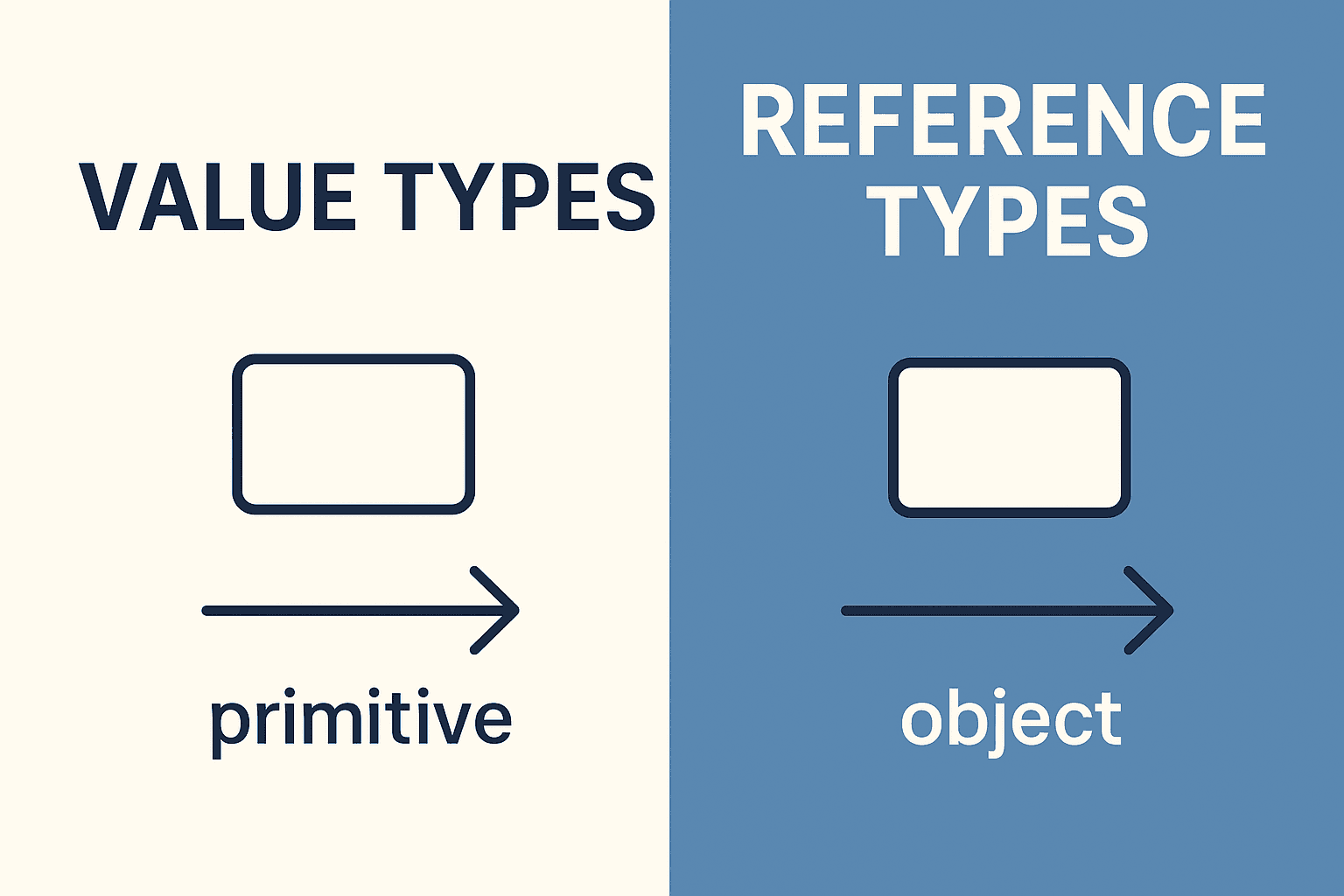
One of the most important distinctions in JavaScript is between value types (primitives) and reference types (objects). Knowing how they behave under the hood will help you avoid confusing bugs and write code with confidence.
Value Types (Primitives)
JavaScript primitives are stored by value. When you assign them to another variable, a copy of the value is created.
Primitives include:
- string
- number
- bigint
- boolean
- undefined
- symbol
- null
Example
let a = 10;
let b = a;   // b gets a copy of a's value

a = 20;

console.log(a); // 20
console.log(b); // 10 — unaffected
Here, b holds its own copy of the value. Reassigning a does not touch b.
Reference Types (Objects)
Objects (including arrays, functions, and dates) are stored by reference. That means when you assign them, what’s copied is not the object itself but a reference (a pointer) to where the object lives in memory.
Example
let obj1 = { name: "Ali" };
let obj2 = obj1;  // obj2 points to the same object as obj1

obj1.name = "Hussein";

console.log(obj1.name); // "Hussein"
console.log(obj2.name); // "Hussein" — both see the change
Both variables refer to the same underlying object.
Comparing Value vs Reference
| Aspect | Value Types | Reference Types |
|---|---|---|
| Data stored | Actual value | Memory address (reference) |
| Assignment | Creates a copy | Copies the reference (alias) |
| Mutability | Immutable | Usually mutable |
| Examples | 42, "hello", true | {}, [], function() {} |
Equality Checks
- Primitives: Compared by value.
- Objects: Compared by reference.
console.log(5 === 5);           // true
console.log("hi" === "hi");     // true

console.log({} === {});         // false — different references
let arr = [];
console.log(arr === arr);       // true — same reference
Gotchas
1. Copying Objects
Assigning objects doesn’t clone them — both variables still point to the same memory.
let user1 = { age: 30 };
let user2 = user1;

user2.age = 40;
console.log(user1.age); // 40
2. Shallow vs Deep Copies
Methods like Object.assign or the spread operator create shallow copies (nested objects still share references).
let objA = { nested: { n: 1 } };
let objB = { ...objA };

objB.nested.n = 99;
console.log(objA.nested.n); // 99 — inner object still shared
For deep copies, use structuredClone, libraries like Lodash, or manual recursion.
let objC = { nested: { n: 1 } };
let objD = structuredClone(objC);

objD.nested.n = 99;
console.log(objC.nested.n); // 1 — independent copy
Best Practices
-
Use primitives for simple, immutable data.
-
Be mindful when sharing objects between variables — changes affect all references.
-
For safe copies:
- Use spread operator for shallow copies.
- Use structuredClone or libraries for deep copies.
-
Prefer immutability when possible (e.g., use
map,filter, or object spread instead of mutating arrays/objects).
Practice Questions
- What’s the difference between copying a string and copying an object?
- Why does
{}==={}returnfalse? - What happens when you reassign a primitive variable vs a reference variable?
- How can you safely deep clone an object?
- Why are arrays considered reference types in JavaScript?
Summary
- Value types (primitives) are copied by value and live independently.
- Reference types (objects) are copied by reference, so multiple variables can point to the same underlying data.
- Understanding this distinction is crucial for working with assignments, comparisons, and mutations in JavaScript.
Read more
Understanding Typing in JavaScript: Implicit, Explicit, Nominal, Structural, and Duck Typing
A deep dive into JavaScript’s typing approaches: implicit, explicit, nominal, structural, and duck typing. Learn what they mean, how they appear in practice, and why they matter for developers.
JavaScript Primitive Types: The Complete Guide
A deep dive into JavaScript's primitive types — what they are, how they behave, their quirks, and how to use them effectively.
Mastering the JavaScript Call Stack: A Complete Guide from Beginner to Expert
Learn how the JavaScript call stack works with practical examples, explained step by step for beginners, intermediates, advanced, and expert developers.