What's the difference between "hello" and { text: "hello" }? Why can you call "hello".toUpperCase() if strings aren't objects? And why does typeof null return "object"?
// JavaScript has exactly 7 primitive types
const str = "hello";           // string
const num = 42;                // number
const big = 9007199254740993n; // bigint
const bool = true;             // boolean
const undef = undefined;       // undefined
const nul = null;              // null
const sym = Symbol("id");      // symbol

console.log(typeof str);   // "string"
console.log(typeof num);   // "number"
console.log(typeof nul);   // "object" — Wait, what?!
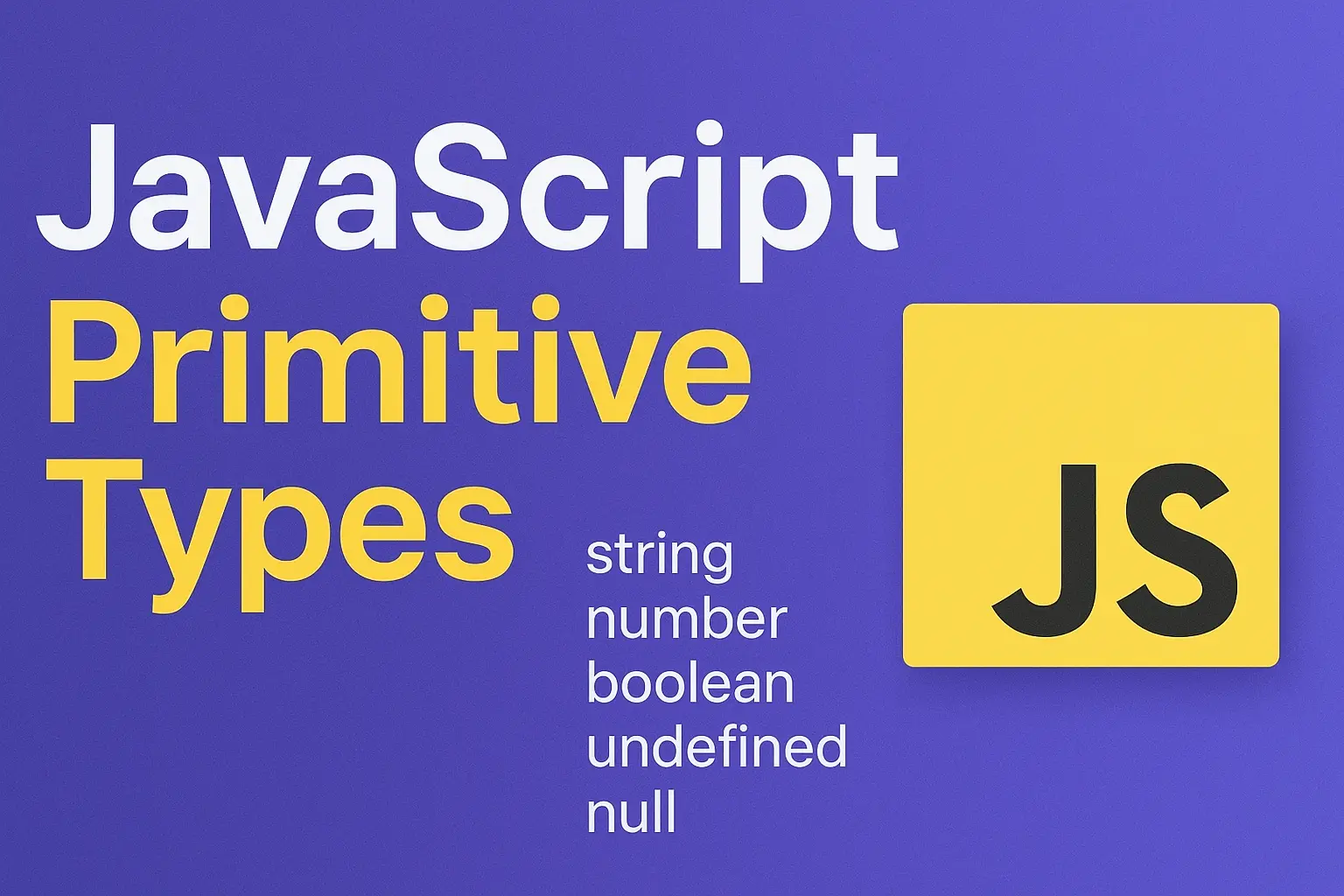
These seven primitive types are the foundation of all data in JavaScript. Unlike objects, primitives are immutable (unchangeable) and compared by value. Every complex structure you build (arrays, objects, classes) ultimately relies on these simple building blocks.
What you'll learn in this guide:
- The 7 primitive types in JavaScript and when to use each
- How
typeofworks (and its famous quirks) - Why primitives are "immutable" and what that means
- The magic of autoboxing — how
"hello".toUpperCase()works - The difference between
nullandundefined - Common mistakes to avoid with primitives
- Famous JavaScript gotchas every developer should know
New to JavaScript? This guide is beginner-friendly! No prior knowledge required. We'll explain everything from the ground up.
What Are Primitive Types?
In JavaScript, a primitive is data that is not an object and has no methods of its own. As defined by the ECMAScript 2024 specification (ECMA-262), JavaScript has exactly 7 primitive types:
| Type | Example | Description |
|---|---|---|
string | "hello" | Text data |
number | 42, 3.14 | Numeric data (integers and decimals) |
bigint | 9007199254740993n | Very large integers |
boolean | true, false | Logical values |
undefined | undefined | No value assigned |
null | null | Intentional absence of value |
symbol | Symbol("id") | Unique identifier |
Three Key Characteristics
All primitives share these fundamental traits:
The Atoms vs Molecules Analogy
Think of data in JavaScript like chemistry class (but way more fun, and no lab goggles required). Primitives are like atoms: the fundamental, indivisible building blocks that cannot be broken down further. Objects are like molecules: complex structures made up of multiple atoms combined together.
┌─────────────────────────────────────────────────────────────────────────┐
│                     PRIMITIVES VS OBJECTS                                │
├─────────────────────────────────────────────────────────────────────────┤
│                                                                          │
│   PRIMITIVES (Atoms)                    OBJECTS (Molecules)              │
│                                                                          │
│   ┌───┐  ┌─────┐  ┌──────┐             ┌────────────────────────────┐   │
│   │ 5 │  │"hi" │  │ true │             │ { name: "Alice", age: 25 } │   │
│   └───┘  └─────┘  └──────┘             └────────────────────────────┘   │
│                                                                          │
│   • Simple, indivisible                 • Complex, contains values       │
│   • Stored directly                     • Stored as reference            │
│   • Compared by value                   • Compared by reference          │
│   • Immutable                           • Mutable                        │
│                                                                          │
└─────────────────────────────────────────────────────────────────────────┘
Just like atoms are the foundation of all matter, primitives are the foundation of all data in JavaScript. Every complex data structure you create — arrays, objects, functions — is ultimately built on top of these simple primitive values.
The 7 Primitive Types: Deep Dive
Let's explore each primitive type in detail.
String
A string represents text data: a sequence of characters.
// Three ways to create strings
let single = 'Hello';           // Single quotes
let double = "World";           // Double quotes
let backtick = `Hello World`;   // Template literal (ES6)
Template Literals (Still Just Strings!)
Template literals (backticks) are not a separate type. They're just a more powerful syntax for creating strings. The result is still a regular string primitive:
let name = "Alice";
let age = 25;

// String interpolation - embed expressions
let greeting = `Hello, ${name}! You are ${age} years old.`;
console.log(greeting);        // "Hello, Alice! You are 25 years old."
console.log(typeof greeting); // "string" — it's just a string!

// Multi-line strings
let multiLine = `
  This is line 1
  This is line 2
`;
console.log(typeof multiLine); // "string"
Strings Are Immutable
You cannot change individual characters in a string:
let str = "hello";
str[0] = "H";        // Does nothing! No error, but no change
console.log(str);    // Still "hello"

// To "change" a string, create a new one
str = "H" + str.slice(1);
console.log(str);    // "Hello"
String methods like toUpperCase(), slice(), replace() always return new strings. They never modify the original.
Number
JavaScript has only one number type for both integers and decimals. All numbers are stored as 64-bit floating-point (a standard way computers store decimals).
let integer = 42;        // Integer
let decimal = 3.14;      // Decimal
let negative = -10;      // Negative
let scientific = 2.5e6;  // 2,500,000 (scientific notation)
Special Number Values
console.log(1 / 0);       // Infinity
console.log(-1 / 0);      // -Infinity
console.log("hello" * 2); // NaN (Not a Number)
JavaScript has special number values: Infinity for values too large to represent, and NaN (Not a Number) for invalid mathematical operations.
The Famous Floating-Point Problem
console.log(0.1 + 0.2);           // 0.30000000000000004
console.log(0.1 + 0.2 === 0.3);   // false! Welcome to JavaScript!
This isn't a JavaScript bug — it follows the IEEE 754 double-precision floating-point standard used by virtually all modern programming languages. The decimal 0.1 cannot be perfectly represented in binary.
Working with money? Never use floating-point for calculations! Store amounts in cents as integers, then use JavaScript's built-in Intl.NumberFormat for display.
// Bad: floating-point errors in calculations
let price = 0.1 + 0.2;  // 0.30000000000000004

// Good: calculate in cents, format for display
let priceInCents = 10 + 20;  // 30 (calculation is accurate!)

// Use Intl.NumberFormat to display as currency
const formatter = new Intl.NumberFormat('en-US', {
  style: 'currency',
  currency: 'USD',
});
console.log(formatter.format(priceInCents / 100));  // "$0.30"

// Works for any locale and currency!
const euroFormatter = new Intl.NumberFormat('de-DE', {
  style: 'currency',
  currency: 'EUR',
});
console.log(euroFormatter.format(1234.56));  // "1.234,56 €"
Intl.NumberFormat is built into JavaScript. No external libraries needed! It handles currency symbols, decimal separators, and locale-specific formatting automatically.
Safe Integer Range
JavaScript can only safely represent integers up to a certain size:
console.log(Number.MAX_SAFE_INTEGER);  // 9007199254740991 (2^53 - 1)
console.log(Number.MIN_SAFE_INTEGER);  // -9007199254740991
Number.MAX_SAFE_INTEGER is the largest integer that can be safely represented. Beyond this range, precision is lost:
// Beyond this range, precision is lost
console.log(9007199254740992 === 9007199254740993);  // true! (wrong!)
For larger integers, use BigInt.
BigInt
BigInt (ES2020) represents integers larger than Number.MAX_SAFE_INTEGER.
// Add 'n' suffix to create a BigInt
let big = 9007199254740993n;
let alsoBig = BigInt("9007199254740993");

console.log(big + 1n);  // 9007199254740994n (correct!)
BigInt Rules
// Cannot mix BigInt and Number
let big = 10n;
let regular = 5;
// console.log(big + regular);  // TypeError!

// Must convert explicitly
console.log(big + BigInt(regular));  // 15n
console.log(Number(big) + regular);  // 15
When to use BigInt: Cryptography, precise timestamps, database IDs, any calculation requiring integers larger than 9 quadrillion.
Boolean
Boolean has exactly two values: true and false.
let isLoggedIn = true;
let hasPermission = false;

// From comparisons
let isAdult = age >= 18;        // true or false
let isEqual = name === "Alice"; // true or false
Truthy and Falsy
When used in boolean contexts (like if statements), all values are either "truthy" or "falsy":
// Falsy values (only 8!)
false
0
-0
0n        // BigInt zero
""        // Empty string
null
undefined
NaN

// Everything else is truthy
"hello"   // truthy
42        // truthy
[]        // truthy (empty array!)
{}        // truthy (empty object!)
// Convert any value to boolean
let value = "hello";
let bool = Boolean(value); // true
let shortcut = !!value; // true (double negation trick)Learn more about how JavaScript converts between types in the Type Coercion section.
undefined
undefined means "no value has been assigned." JavaScript uses it automatically in several situations:
// 1. Declared but not assigned
let x;
console.log(x);  // undefined

// 2. Missing function parameters
function greet(name) {
  console.log(name);  // undefined if called without argument
}
greet();

// 3. Function with no return statement
function doNothing() {
  // no return
}
console.log(doNothing());  // undefined

// 4. Accessing non-existent object property
let person = { name: "Alice" };
console.log(person.age);  // undefined
Don't explicitly assign undefined to variables. Use null instead to indicate "intentionally empty."
null
null means "intentionally empty". You're explicitly saying "this has no value."
// Intentionally clearing a variable
let user = { name: "Alice" };
user = null;  // User logged out, clearing the reference

// Indicating no result
function findUser(id) {
  // ... search logic ...
  return null;  // User not found
}
The Famous typeof Bug
console.log(typeof null); // "object" — Wait, what?!Yes, really. This is one of JavaScript's most famous quirks! It's a historical mistake from JavaScript's first implementation in 1995. It was never fixed because too much existing code depends on it.
// How to properly check for null
let value = null;
console.log(value === null);  // true (use strict equality)
Symbol
Symbol (ES6) creates unique identifiers. According to MDN, Symbol was the first new primitive type added to JavaScript since its creation in 1995. Even symbols with the same description are different.
let id1 = Symbol("id");
let id2 = Symbol("id");

console.log(id1 === id2);  // false — always unique!
console.log(id1.description);  // "id" (the description)
Use Case: Unique Object Keys
const ID = Symbol("id");
const user = {
  name: "Alice",
  [ID]: 12345  // Symbol as property key
};

console.log(user.name);    // "Alice"
console.log(user[ID]);     // 12345

// Symbol keys don't appear in normal iteration
console.log(Object.keys(user));  // ["name"] — ID not included
Well-Known Symbols
JavaScript has built-in symbols for customizing object behavior:
// Symbol.iterator - make an object iterable
// Symbol.toStringTag - customize Object.prototype.toString
// Symbol.toPrimitive - customize type conversion
These are called well-known symbols and allow you to customize how objects behave with built-in operations.
Symbols are an advanced feature. As a beginner, focus on understanding that they exist and create unique values. You'll encounter them when diving into advanced patterns and library code.
The typeof Operator
The typeof operator returns a string indicating the type of a value.
console.log(typeof "hello");     // "string"
console.log(typeof 42);          // "number"
console.log(typeof 42n);         // "bigint"
console.log(typeof true);        // "boolean"
console.log(typeof undefined);   // "undefined"
console.log(typeof Symbol());    // "symbol"
console.log(typeof null);        // "object" ⚠️ (bug!)
console.log(typeof {});          // "object"
console.log(typeof []);          // "object"
console.log(typeof function(){}); // "function"
typeof Results Table
| Value | typeof Result | Notes |
|---|---|---|
"hello" | "string" | |
42 | "number" | |
42n | "bigint" | |
true / false | "boolean" | |
undefined | "undefined" | |
Symbol() | "symbol" | |
null | "object" | Historical bug! |
{} | "object" | |
[] | "object" | Arrays are objects |
function(){} | "function" | Functions are special |
Better Type Checking
Since typeof has quirks, here are more reliable alternatives:
// Check for null specifically
let value = null;
if (value === null) {
  console.log("It's null");
}

// Check for arrays
Array.isArray([1, 2, 3]);  // true
Array.isArray("hello");    // false

// Get precise type with Object.prototype.toString
Object.prototype.toString.call(null);       // "[object Null]"
Object.prototype.toString.call([]);         // "[object Array]"
Object.prototype.toString.call(new Date()); // "[object Date]"
Array.isArray() is the reliable way to check for arrays, since typeof [] returns "object". For more complex type checking, Object.prototype.toString() gives precise type information.
Immutability Explained
Immutable means "cannot be changed." Primitive values are immutable. You cannot alter the value itself.
Seeing Immutability in Action
let str = "hello";

// These methods don't change 'str' — they return NEW strings
str.toUpperCase();     // Returns "HELLO"
console.log(str);      // Still "hello"!

// To capture the new value, you must reassign
str = str.toUpperCase();
console.log(str);      // Now "HELLO"
Visual: What Happens in Memory
BEFORE str.toUpperCase():
┌─────────────────┐
│  str → "hello"  │   (original string)
└─────────────────┘

AFTER str.toUpperCase() (without reassignment):
┌─────────────────┐
│  str → "hello"  │   (unchanged!)
└─────────────────┘
┌─────────────────┐
│     "HELLO"     │   (new string, not captured, garbage collected)
└─────────────────┘

AFTER str = str.toUpperCase():
┌─────────────────┐
│  str → "HELLO"  │   (str now points to new string)
└─────────────────┘
Common Misconception: const vs Immutability
const prevents reassignment, not mutation. These are different concepts!
// const prevents reassignment
const name = "Alice";
// name = "Bob";  // Error! Cannot reassign const

// But const doesn't make objects immutable
const person = { name: "Alice" };
person.name = "Bob";     // Works! Mutating the object
person.age = 25;         // Works! Adding a property
// person = {};          // Error! Cannot reassign const

// Primitives are immutable regardless of const/let
let str = "hello";
str[0] = "H";  // Silently fails — can't mutate primitive
Think of it this way: const protects the variable (the container). Immutability protects the value (the content).
Autoboxing: The Secret Life of Primitives
If primitives have no methods, how does "hello".toUpperCase() work?
The Magic Behind the Scenes
When you access a property or method on a primitive, JavaScript temporarily wraps it in an object:
You Call a Method on a Primitive
"hello".toUpperCase()JavaScript Creates a Wrapper Object
Behind the scenes, JavaScript does something like:
(new String("hello")).toUpperCase()Method Executes and Returns
The toUpperCase() method runs and returns "HELLO".
Wrapper Object Is Discarded
The temporary String object is thrown away. The original primitive "hello" is unchanged.
Wrapper Objects
Each primitive type (except null and undefined) has a corresponding wrapper object:
| Primitive | Wrapper Object |
|---|---|
string | String |
number | Number |
boolean | Boolean |
bigint | BigInt |
symbol | Symbol |
Don't Use new String() etc.
You can create wrapper objects manually, but don't:
// Don't do this!
let strObj = new String("hello");
console.log(typeof strObj);        // "object" (not "string"!)
console.log(strObj === "hello");   // false (object vs primitive)

// Do this instead
let str = "hello";
console.log(typeof str);           // "string"
Using new String(), new Number(), or new Boolean() creates objects, not primitives. This can cause confusing bugs with equality checks and typeof.
null vs undefined
These two "empty" values confuse many developers. Here's how they differ:
| Aspect | undefined | null |
|---|---|---|
| Meaning | "No value assigned yet" | "Intentionally empty" |
| Set by | JavaScript automatically | Developer explicitly |
| typeof | "undefined" | "object" (bug) |
| In JSON | Omitted from output | Preserved as null |
| Default params | Triggers default | Doesn't trigger default |
| Loose equality | null == undefined is true | |
| Strict equality | null === undefined is false |
Best Practices
// Check for either null or undefined (loose equality)
if (value == null) {
  console.log("Value is null or undefined");
}

// Check for specifically undefined
if (value === undefined) {
  console.log("Value is undefined");
}

// Check for specifically null
if (value === null) {
  console.log("Value is null");
}

// Check for "has a value" (not null/undefined)
if (value != null) {
  console.log("Value exists");
}
The #1 Primitive Mistake: Using Wrapper Constructors
The most common mistake developers make with primitives is using new String(), new Number(), or new Boolean() instead of literal values.
┌─────────────────────────────────────────────────────────────────────────┐
│                     PRIMITIVES VS WRAPPER OBJECTS                        │
├─────────────────────────────────────────────────────────────────────────┤
│                                                                          │
│  WRONG WAY                              RIGHT WAY                        │
│  ─────────                              ─────────                        │
│  new String("hello")                    "hello"                          │
│  new Number(42)                         42                               │
│  new Boolean(true)                      true                             │
│                                                                          │
│  typeof new String("hi") → "object"     typeof "hi" → "string"          │
│  new String("hi") === "hi" → false      "hi" === "hi" → true            │
│                                                                          │
└─────────────────────────────────────────────────────────────────────────┘
// ❌ WRONG - Creates an object, not a primitive
const str = new String("hello");
console.log(typeof str); // "object" (not "string"!)
console.log(str === "hello"); // false (object vs primitive)
// ✓ CORRECT - Use primitive literals
const str2 = "hello";
console.log(typeof str2); // "string"
console.log(str2 === "hello"); // trueThe Trap: Using new String(), new Number(), or new Boolean() creates wrapper objects, not primitives. This breaks equality checks (===), typeof comparisons, and can cause subtle bugs. Always use literal syntax: "hello", 42, true.
Rule of Thumb: Never use new with String, Number, or Boolean. The only exception is when you intentionally need the wrapper object (which is rare). For type conversion, use them as functions without new: String(123) returns "123" (a primitive).
JavaScript Quirks & Gotchas
JavaScript has some famous "weird parts" that every developer should know. Most relate to primitives and type coercion.
Want to go deeper? Kyle Simpson's book "You Don't Know JS: Types & Grammar" is the definitive guide to understanding these quirks. It's free to read online!
Key Takeaways
The key things to remember about Primitive Types:
-
7 primitives: string, number, bigint, boolean, undefined, null, symbol
-
Primitives are immutable — you can't change the value itself, only create new values
-
Compared by value —
"hello" === "hello"is true because the values match -
typeof works for most types — except
typeof nullreturns"object"(historical bug) -
Autoboxing allows primitives to use methods — JavaScript wraps them temporarily
-
undefined vs null — undefined is "not assigned," null is "intentionally empty"
-
Be aware of gotchas —
NaN !== NaN,0.1 + 0.2 !== 0.3, falsy values -
Don't use
new String()etc. — creates objects, not primitives -
Symbols create unique identifiers — even
Symbol("id") !== Symbol("id") -
Use
Number.isNaN()to check for NaN — don't use equality comparison sinceNaN !== NaN
Test Your Knowledge
Frequently Asked Questions
Related Concepts
Primitives vs Objects
How primitives and objects behave differently in JavaScript
Type Coercion
How JavaScript converts between types automatically
== vs === vs typeof
Understanding equality operators and type checking
Scope & Closures
How variables are accessed and how functions remember their environment
Reference
Primitive — MDN Glossary
Official MDN glossary definition of primitive values in JavaScript.
JavaScript data types and data structures — MDN
Comprehensive MDN guide to JavaScript's type system and data structures.
typeof operator — MDN
Complete reference for the typeof operator including its quirks and return values.
Symbol — MDN
Deep dive into JavaScript Symbols, well-known symbols, and use cases.
Articles
Primitive and Non-primitive data-types in JavaScript
Beginner-friendly overview covering all 7 primitive types with a comparison table showing the differences between primitives and objects.
How numbers are encoded in JavaScript
Expert deep-dive by Dr. Axel Rauschmayer into IEEE 754 floating-point representation, explaining why 0.1 + 0.2 !== 0.3 and how JavaScript stores numbers internally.
(Not) Everything in JavaScript is an Object
Debunks the common myth that "everything in JS is an object." Shows how autoboxing creates the illusion that primitives have methods, with diagrams explaining what happens behind the scenes.
Methods of Primitives
The javascript.info guide walks through each wrapper type (String, Number, Boolean) and includes interactive tasks to test your understanding. One of the best resources for learning autoboxing.
The Differences Between Object.freeze() vs Const
Clears up the common confusion between const (prevents reassignment) and immutability (prevents mutation). Short and beginner-friendly.
Books
You Don't Know JS: Types & Grammar — Kyle Simpson
The definitive deep-dive into JavaScript types. Free to read online. Covers primitives, coercion, and the "weird parts" that trip up developers. Essential reading for understanding JavaScript's type system.
Courses
JavaScript: Understanding the Weird Parts (First 3.5 Hours) — Anthony Alicea
Free preview of one of the most acclaimed JavaScript courses ever made. Covers types, coercion, and the "weird parts" that confuse developers. Perfect starting point before buying the full course.
JavaScript: Understanding the Weird Parts (Full Course) — Anthony Alicea
The complete 12-hour course covering types, operators, objects, and engine internals. Anthony's explanations of scope, closures, and prototypes are particularly helpful for intermediate developers.
Introduction to Primitives — Piccalilli
Part of the "JavaScript for Everyone" course by Mat Marquis. This module covers all 7 primitive types with dedicated lessons for Numbers, Strings, Booleans, null/undefined, BigInt, and Symbol. Beautifully written with a fun narrative style.
Videos
JavaScript Reference vs Primitive Types — Academind
Academind's Max shows what happens in memory when you copy primitives vs objects. The side-by-side code examples make the difference immediately obvious.
Value Types and Reference Types — Programming with Mosh
Mosh Hamedani's clear teaching style makes this complex topic easy to understand. Includes practical examples showing memory behavior.
Everything You Never Wanted to Know About JavaScript Numbers — JSConf
JSConf talk by Bartek Szopka diving deep into the quirks of JavaScript numbers. Covers IEEE 754, precision issues, and edge cases.